Spoilers: Early game
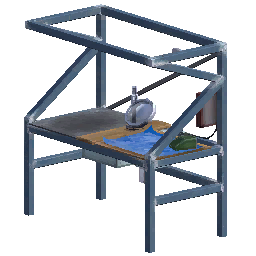
Crafting Bench: Safe Area and Setup Checks
Understand what the Abiotic Factor Crafting Bench does, why its safe area is not raid protection, and what to check when your setup stops working.
What the bench protects against
Ordinary spawning and assault events work differently. A powered bench can suppress ordinary spawning inside its home area; assaults remain an exception. Its upgrades can add benefits such as healing and access to nearby storage. Power is required for its standard functions.
Set up a bench you can maintain
Place it where you can reach both the workstation and its wiring. Leave room to move around it and keep an escape route clear.
After connecting the bench, check its displayed state before leaving to gather materials. Use the power checklist if it works during the day but fails later.
If something seems wrong
| Symptom | What to inspect |
|---|---|
| Enemies appear nearby | Is this an assault, or are they outside the home area? |
| The workstation is unavailable | Inspect the bench and follow its power connection. |
| You cannot use a particular recipe | Check the recipe’s required station, knowledge and materials in your current game. |
| Storage is not being used automatically | Check whether the relevant bench upgrade is installed. |
Do not rebuild the entire base before separating these cases.
How do you craft your first bench?
Use four Duct Tape, one Power Supply Unit and two Metal Pipe, producing one Crafting Bench. The required station is Inventory or Crafting Bench, so you do not need an existing bench to make your first one. An alternative recipe replaces the two Metal Pipe with two Hydro Pipe; use one valid recipe rather than assuming any pipe-like item qualifies.
Collect those named components, craft the bench from your inventory when the recipe is available, and place it near a reachable outlet. Then connect power and inspect its state. Crafting the object, placing it and powering it are separate steps: seeing a bench in the room does not prove its standard functions are active.
For the first night, use the two-battery single-device example. Do not attach the whole room to that example and expect its quoted runtime to remain unchanged.
Does the Home Sweet Home area stop every enemy?
No. The status indicates the bench’s home area, but it is not an invulnerability buff. A powered bench suppresses ordinary spawning in that area; assault events are explicitly excepted. Creatures outside the area can still approach you.
When something appears inside the base, first check the event messages and whether the bench had power at that time. A screenshot after sunrise cannot establish whether power lasted all night. Use the base-defense diagnosis before moving a functional station or assuming an upgrade failed.
Which upgrade solves your problem?
| What you need | Upgrade to inspect | Important limit |
|---|---|---|
| Use nearby stored materials when crafting | Item Transporter | A base bench does not grant automatic storage access by itself |
| Recover health near the workstation | Dioxohealer | A healing benefit is not protection from attacks |
| Warm the workspace | Bench Warmer | Its heating can be toggled; inspect it separately from power |
| Stop portal-storm enemies at the bench | Portal Suppression Field | Does not stop non-portal assaults |
Choose an upgrade because it addresses an observed need. Start with its skill gate and shopping list, not only the name of its benefit.
Early upgrade materials and skill gates
| Upgrade | Crafting skill | Materials |
|---|---|---|
| Item Transporter | Level 2 | 2 Raw Exor Hearts + 1 Energy Brick |
| Dioxohealer | Level 2 | 1 Medkit + 10 Bio Scrap + 5 Anteverse Wheat |
| Bench Warmer | Level 2 | 1 Heater + 4 Boxes of Screws |
| Reinforced Bench | Level 5 | 20 Metal Scrap + 4 Refined Carbon + 2 Reinforced Wooden Planks |
| Portal Suppression Field | Level 5 | 4 Raw Exor Hearts + 2 Anteverse Gems + 8 Military Electronics |
Keep required hearts raw if you are saving them for an upgrade. For example, buying storage access first uses two hearts that cannot also go into portal suppression. Choose the upgrade that addresses your current base problem.
Why does the bench ignore items in storage?
Check that Item Transporter is installed on the bench you are using. Item Transporter accesses containers within 16 meters and can link nearby Repair and Salvage Stations. This is smaller than the full safe-area radius; not every chest in a building becomes shared storage. Move one container holding a needed material near the bench and retry the same recipe to isolate distance from missing materials.
If that works, restore the rest of your storage gradually. If it does not, inspect the upgrade, actual item name, required crafting station and bench power. Keeping those checks separate avoids repeatedly relocating all your boxes without identifying the cause.
What should you check after moving a bench?
Reconnect its power, inspect your working area and confirm nearby storage access again. For players using Personal Teleporters, renaming a bench or packaging and redeploying it breaks the existing synchronization. Restore the link deliberately rather than treating a stale destination as a missing battery problem.
Working on reagents instead? See chemistry’s two workstations rather than treating the standard bench as the whole process.