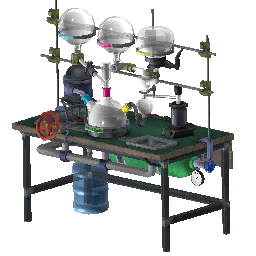
Spoilers: Mid game
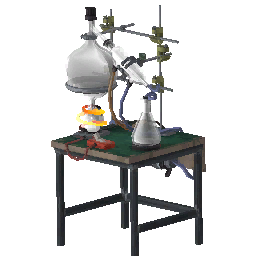
How to Use the Distillation Bench
Use the input, start control and output on the Abiotic Factor Distillation Bench, then take the resulting reagents to the Chemistry Bench.
Follow the material through the bench
- Select the material you intend to process.
- Place it in the left input flask.
- Activate the red button on the front.
- Inspect the right output flask for progress and collect the result.
Then use the Chemistry Bench for the mixing stage.
If you are looking for a finished potion
You are at the first stage of the system. Distillation breaks materials down into reagents; mixing those reagents produces concoctions. The chemistry overview separates the two stages.
Start with a controlled sample
Process a small, identifiable input before spending a large stockpile. Record the input item and observed output together. If you change several inputs at once, it becomes harder to explain the result.
Use the 32-input distillation lookup to match a material to its reagent and dose yield before loading it.
How do you craft the Distillation Bench?
At a Crafting Bench, the recipe uses 4 Metal Pipe, 2 Quantum Glass, 2 Reinforced Wooden Plank and 1 Lab Burner to produce one Distillation Bench. This is the station’s material list, not the list of substances it accepts for processing.
Check the standard Crafting Bench if the construction recipe or station access is your blocker. A missing construction recipe cannot be fixed by pressing the distillation start button on another workstation.
Try a named input before processing a stockpile
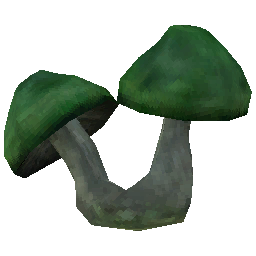
For example, one Carbuncle Mushroom → four Mycological Distillations. The same reagent can also come from a Mushroom Peccary Skull, producing eight doses.
Choose the input you can spare, place it in the left flask, start processing and inspect the right flask. Record the actual collected output alongside the input name. If the item is needed for a Mushroom Farm, reserve it before distilling the remainder.
Do not infer processing times from another bench’s mixing duration. The progress display is the appropriate check while the operation is running.
What if the expected reagent does not appear?
| Observation | Check | Next step |
|---|---|---|
| You still hold the original item | Whether it entered the left input | Inspect the input rather than repeatedly using the output |
| The input is present but processing has not started | The front start control and station state | Activate the red button and inspect progress |
| An output exists with an unexpected name or amount | Exact input identity and its recorded yield | Compare the distillation reference |
| You expected a finished flask | Which stage you are using | Take reagents to the Chemistry Bench |
If the correct input still produces an unexpected result, note the game version, input item and collected output when reporting the issue.